
CapCut
CapCut for Windows is ByteDance's desktop video editor, with a timeline, templates and export presets for short and long videos.
533.8 MB

Shotcut is a free, open-source non-linear video editor for Windows, macOS, Linux and BSD.
Average 0.0 · ratings: 0
Thank you! Your rating is saved; you can change it. Could not save the rating. Please try again later. Too many ratings from your network today. Please try again tomorrow. The average appears after 5 ratings.
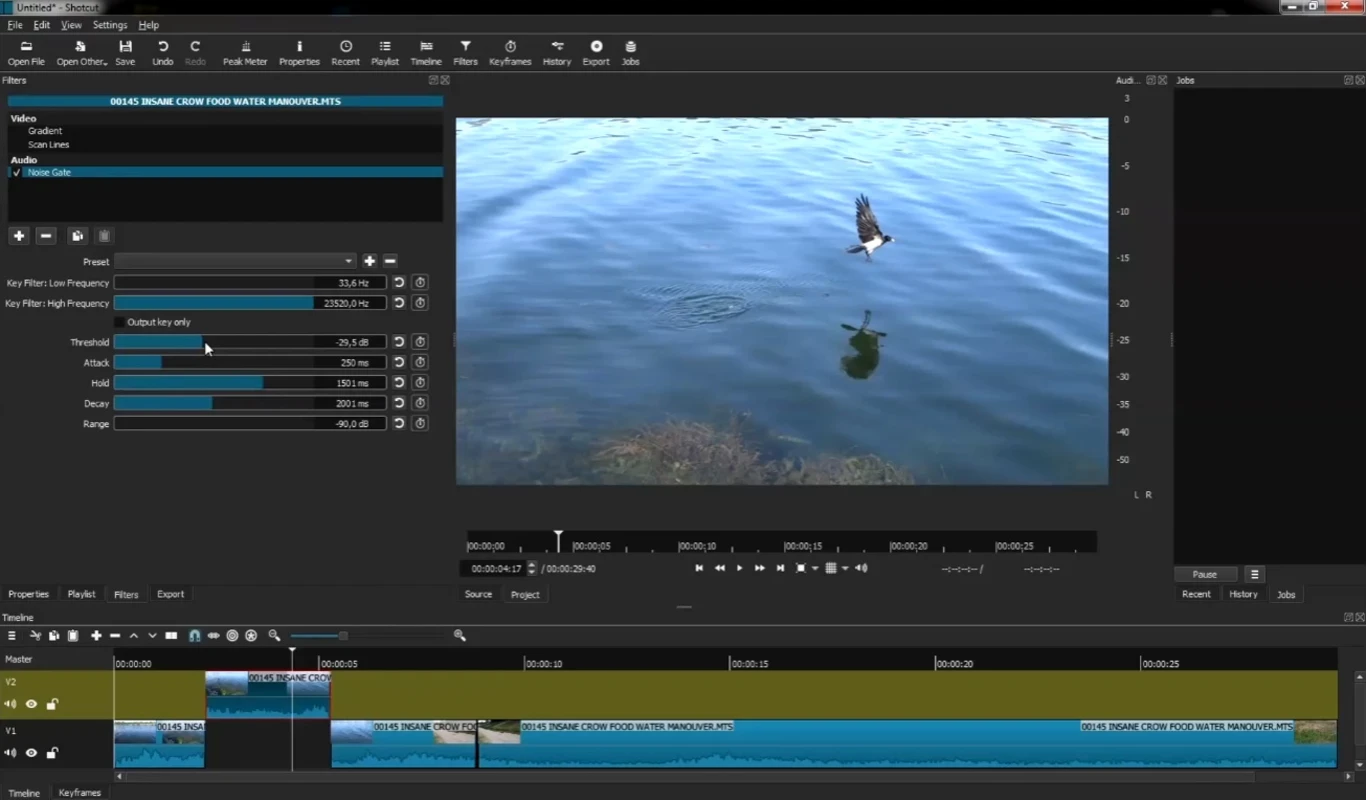
Shotcut 26.8.1 is a free and open-source video editor for Windows, released on August 1, 2026. It is a non-linear editing system, so you can place clips on a timeline, cut and rearrange them freely and export the result; you can download Shotcut for Windows from the official website shotcut.org.
| Parameter | Value |
|---|---|
| Version | 26.8.1 (August 1, 2026) |
| Developer | Meltytech (Dan Dennedy) |
| Type | Non-linear video editor, free software |
| Licence | GNU General Public License v3.0 or later |
| Platforms | Windows, macOS, Linux, BSD |
| Size | about 155.12 MB according to catalogue data |
Shotcut sits between simple video editors and heavy professional suites. It gives you a real timeline where you arrange and trim clips, yet costs nothing. That makes it a sensible choice for YouTube creators on a budget, teachers who record lessons, small businesses that edit their own promos and anyone who has outgrown a phone editor. The project releases updates often: in 2026 there were versions in January, February, April, June and August, and the source code is public on GitHub. The interface takes some getting used to, because panels can be arranged in many ways, but tutorials and the official FAQ cover the basics well.
| Component | SD | HD | 4K |
|---|---|---|---|
| CPU cores (x86-64 or 64-bit ARM) | 1 core, 2 GHz | 4 cores | 8 cores |
| RAM | 4 GB | 8 GB | 16 GB |
Source: the Shotcut FAQ.
Start with a short, clear goal, such as a one-minute clip from holiday footage. Put all source files into one folder, add them to the playlist, then drag them onto the timeline in the order you want. Trim the start and end of each clip, add a music track below the video and lower its volume where people speak. Export a test version at a lower resolution to check the result quickly before the final export. Once the workflow feels natural, move on to filters and longer projects.
Shotcut is completely free. Download it only from shotcut.org or the GitHub repository: bundled installers on download sites may add unwanted software. Save projects often and keep a backup of your source clips.
Other editors for Windows in our listings: DaVinci Resolve, CapCut and, for recording, OBS Studio.
CapCut for Windows is ByteDance's desktop video editor, with a timeline, templates and export presets for short and long videos.

VLC media player is a free, open-source video and audio player for Windows from the VideoLAN team. The current release is 3.0.24.

Green Free Video Converter is a small free Windows program for converting video files between common formats for phones, players and editors.

Format Factory is a free Windows multimedia converter from Free Time for changing video, audio and image files between formats.

Streamlabs OBS, now called Streamlabs Desktop, is a free open-source Windows app for live streaming and recording with built-in alerts and overlays.
Free Cam is a free screen recorder for Windows from iSpring Solutions for recording screencasts with voice-over and trimming them before export.

TikTok for Windows is the desktop app of the short-video platform from TikTok Pte. Ltd., available free from the Microsoft Store.

Iriun Webcam is a small free Windows program that turns an Android phone or iPhone into a wireless webcam for video calls and streaming.